Could Your Business Be One Click Away From a Cyberattack?
Many business owners assume their network is secure because they have antivirus software installed or haven't experienced a security incident. Unfortunately, cybercriminals often exploit weaknesses that go unnoticed for months or even years.
The reality is that most successful cyberattacks target known vulnerabilities that could have been identified and fixed beforehand.
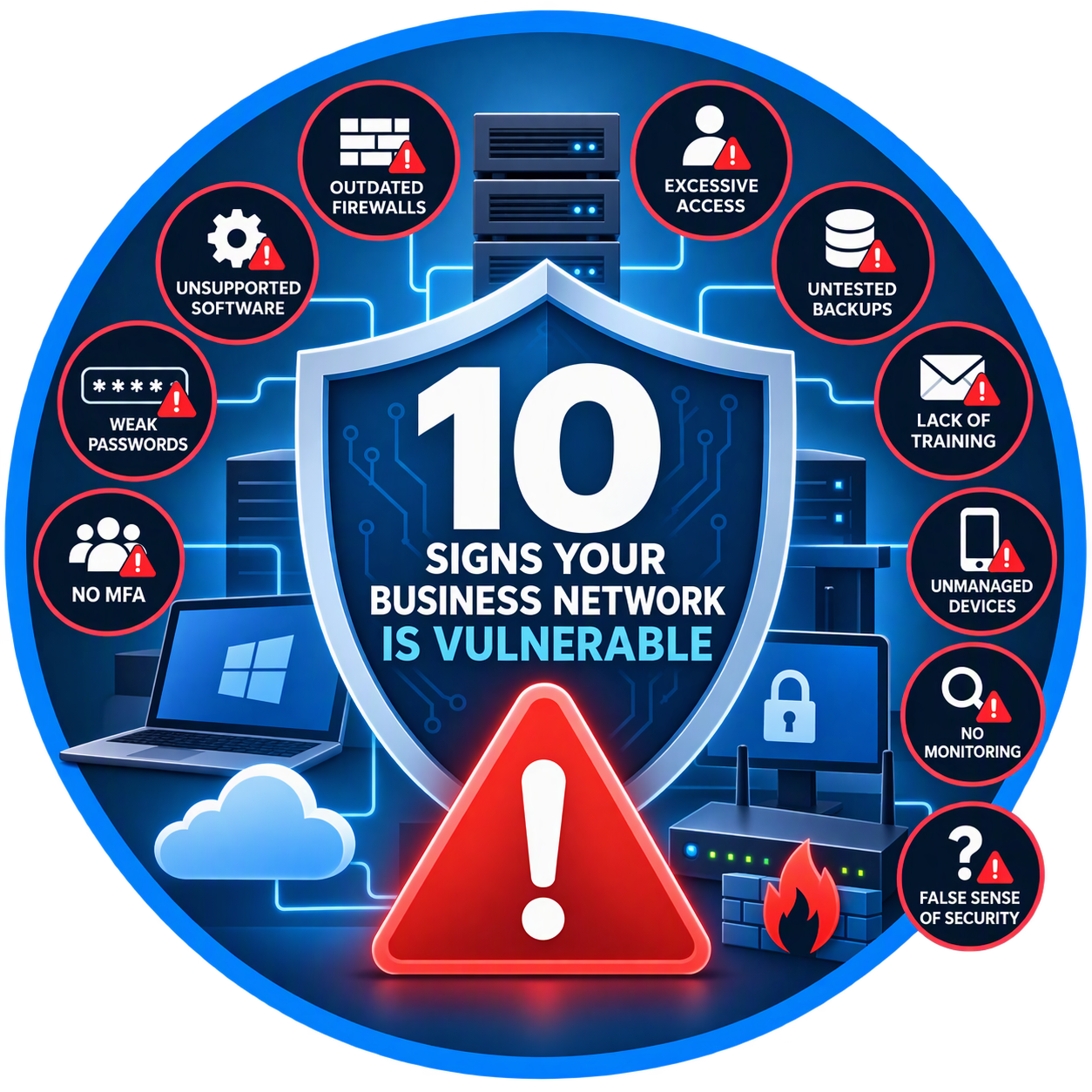
If your business has any of the following issues, your network may be at greater risk than you realize.
1. Your Firewall Is More Than Five Years Old
Your firewall serves as the first line of defense between your business and the internet.
Older firewalls often:
Lack modern threat detection
Cannot inspect encrypted traffic effectively
Receive limited or no security updates
Struggle to stop advanced cyber threats
Many small businesses continue using outdated networking equipment long after manufacturers stop providing support.
Ask Yourself:
How old is our firewall?
Is it still receiving security updates?
Does it provide advanced threat protection?
If you're unsure, it's time for an evaluation.
2. You're Running Unsupported Software
Cybercriminals actively target outdated software because known vulnerabilities are widely available.
Examples include:
Older Windows versions
Unsupported server operating systems
Legacy accounting software
Outdated business applications
Once support ends, security updates stop.
That means newly discovered vulnerabilities remain unpatched and available for attackers to exploit.
Common Warning Sign
Employees receive messages stating:
"This version is no longer supported."
Ignoring these warnings can create serious security risks.
3. Employees Use Weak Passwords
Weak passwords remain one of the easiest ways for attackers to gain access to business systems.
Common examples include:
Password123
CompanyName2026
Welcome123
Seasonal passwords
Cybercriminals use automated tools capable of testing thousands of password combinations every second.
Better Practice
Require:
At least 12 characters
Unique passwords
Password managers
Regular security reviews
4. Multi-Factor Authentication (MFA) Is Not Enabled
If your business relies solely on passwords, you are taking a significant risk.
Multi-Factor Authentication requires users to provide a second verification factor such as:
Mobile authentication app
Security key
Text message code
Biometric verification
Even if an attacker steals a password, MFA can prevent unauthorized access.
Reality Check
Many cyber insurance providers now require MFA before issuing or renewing coverage.
5. Employees Have Administrator Access They Don't Need
Not every employee needs administrative privileges.
Excessive permissions can allow malware or attackers to:
Install software
Disable security tools
Modify system settings
Access sensitive information
Principle of Least Privilege
Employees should only have access to the resources required to perform their jobs.
Nothing more.
6. Your Backups Haven't Been Tested
Many businesses assume backups are working correctly.
Unfortunately, they often discover problems only after a ransomware attack or hardware failure.
Common issues include:
Failed backup jobs
Corrupted backup files
Incomplete backups
Missing recovery procedures
Important Question
If your primary server failed today, how quickly could you restore operations?
If you don't know the answer, your backup strategy needs attention.
7. Employees Haven't Received Security Training
Technology alone cannot stop every attack.
Most breaches begin with a human mistake.
Examples include:
Clicking malicious links
Opening infected attachments
Sharing passwords
Falling for phishing scams
Regular security awareness training helps employees recognize threats before they become incidents.
8. Remote Devices Are Unmanaged
Modern businesses rely on:
Laptops
Smartphones
Tablets
Home office computers
Without proper management, these devices can become easy entry points for attackers.
Warning Signs
Personal devices accessing company data
No device security policies
No remote wipe capability
No centralized management
Businesses using Microsoft 365 Business Premium can leverage Microsoft Intune to manage and secure devices.
9. You Don't Monitor Your Network
Many organizations discover security incidents weeks or months after they occur.
Without monitoring, you may never notice:
Unauthorized logins
Malware activity
Suspicious downloads
Failed login attempts
Modern security tools can identify unusual behavior before significant damage occurs.
10. "We've Never Had a Problem" Is Your Security Strategy
This may be the biggest warning sign of all.
Many business owners assume that because they haven't experienced a visible security incident, everything is fine.
In reality:
Many breaches go undetected
Attackers often remain hidden
Compromised accounts may remain active for months
Good cybersecurity is proactive, not reactive.
Waiting until an incident occurs is often far more expensive than preventing one.
What Every Business Should Have
At a minimum, businesses should implement:
✅ Modern Firewall Protection
✅ Multi-Factor Authentication (MFA)
✅ Secure Cloud Backups
✅ Endpoint Protection
✅ Password Management
✅ Employee Security Training
✅ Device Management
✅ Continuous Monitoring
✅ Regular Software Updates
✅ Annual Security Assessments
Local Businesses Face the Same Threats as Large Enterprises
Businesses throughout Conroe, Montgomery, Willis, The Woodlands, and the Lake Conroe area are increasingly targeted by cybercriminals.
Attackers do not care how many employees you have. They care whether your systems are vulnerable.
A small weakness today can become a major security incident tomorrow.
The Bottom Line
Cybersecurity is no longer a concern reserved for large corporations. Every business depends on technology, and every business is a potential target.
By identifying vulnerabilities early and implementing the right protections, organizations can significantly reduce risk and avoid costly disruptions.
The question isn't whether cyber threats exist. The question is whether your business is prepared for them.
