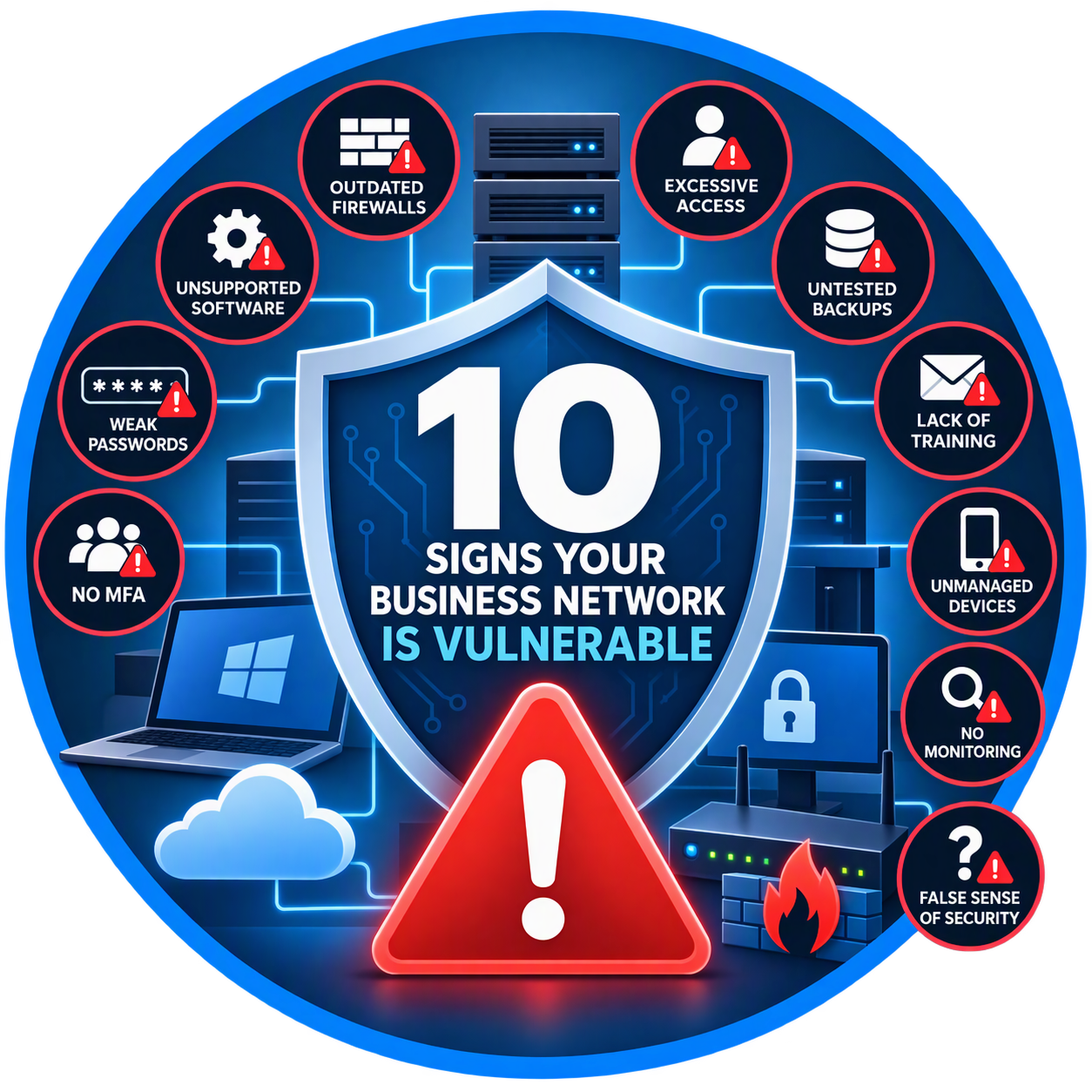
10 Signs Your Business Network Is Vulnerable
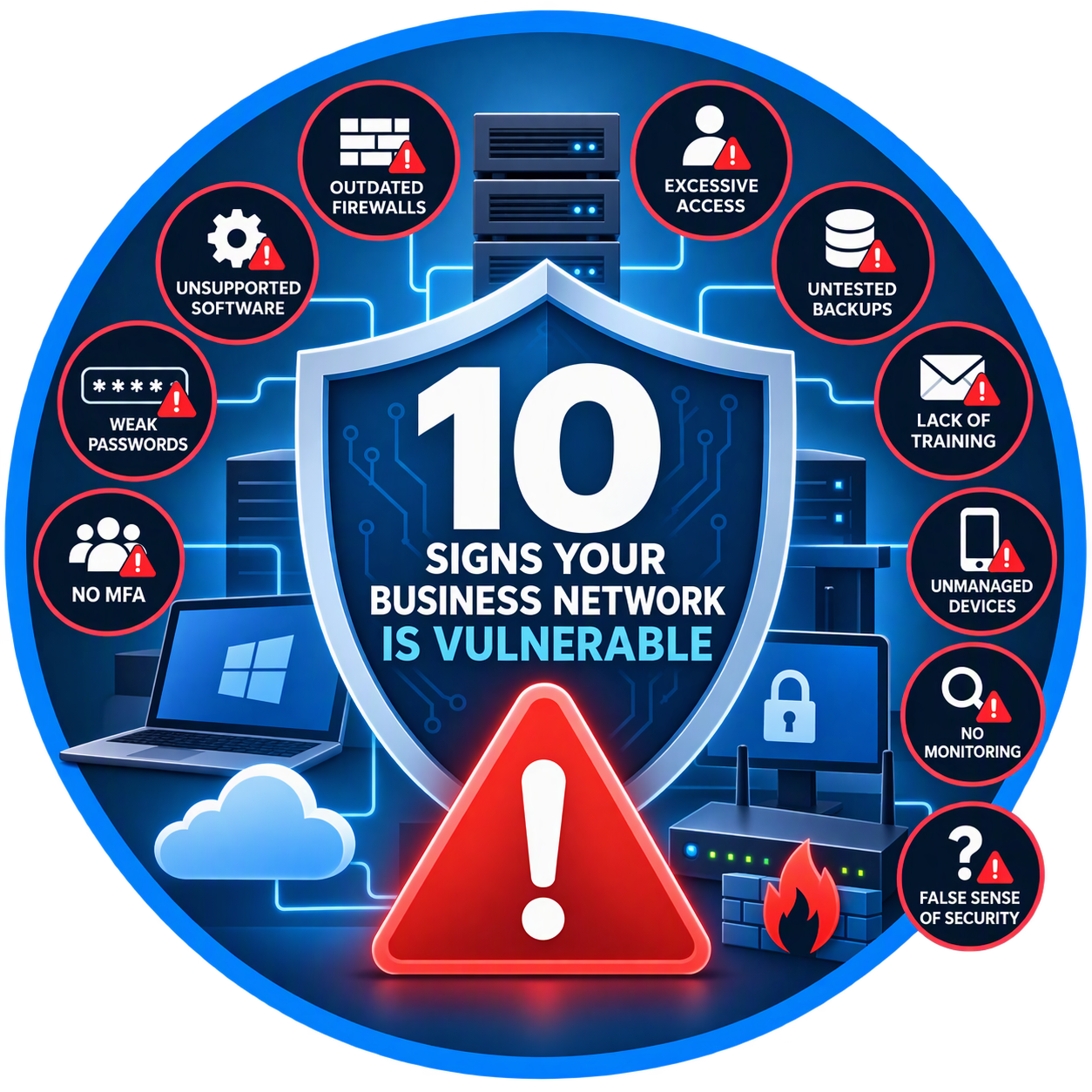
Could Your Business Be One Click Away From a Cyberattack?
Many business owners assume their network is secure because they have antivirus software installed or haven't experienced a security incident. Unfortunately, cybercriminals often exploit weaknesses that go unnoticed for months or even years.
The reality is that most successful cyberattacks target known vulnerabilities that could have been identified and fixed beforehand.
If your business has any of the following issues, your network may be at greater risk than you realize.
1. Your Firewall Is More Than Five Years Old
Your firewall serves as the first line of defense between your business and the internet.
Older firewalls often:
Lack modern threat detection
Cannot inspect encrypted traffic effectively
Receive limited or no security updates
Struggle to stop advanced cyber threats
Many small businesses continue using outdated networking equipment long after manufacturers stop providing support.
Ask Yourself:
How old is our firewall?
Is it still receiving security updates?
Does it provide advanced threat protection?
If you're unsure, it's time for an evaluation.
2. You're Running Unsupported Software
Cybercriminals actively target outdated software because known vulnerabilities are widely available.
Examples include:
Older Windows versions
Unsupported server operating systems
Legacy accounting software
Outdated business applications
Once support ends, security updates stop.
That means newly discovered vulnerabilities remain unpatched and available for attackers to exploit.
Common Warning Sign
Employees receive messages stating:
"This version is no longer supported."
Ignoring these warnings can create serious security risks.
3. Employees Use Weak Passwords
Weak passwords remain one of the easiest ways for attackers to gain access to business systems.
Common examples include:
Password123
CompanyName2026
Welcome123
Seasonal passwords
Cybercriminals use automated tools capable of testing thousands of password combinations every second.
Better Practice
Require:
At least 12 characters
Unique passwords
Password managers
Regular security reviews
4. Multi-Factor Authentication (MFA) Is Not Enabled
If your business relies solely on passwords, you are taking a significant risk.
Multi-Factor Authentication requires users to provide a second verification factor such as:
Mobile authentication app
Security key
Text message code
Biometric verification
Even if an attacker steals a password, MFA can prevent unauthorized access.
Reality Check
Many cyber insurance providers now require MFA before issuing or renewing coverage.
5. Employees Have Administrator Access They Don't Need
Not every employee needs administrative privileges.
Excessive permissions can allow malware or attackers to:
Install software
Disable security tools
Modify system settings
Access sensitive information
Principle of Least Privilege
Employees should only have access to the resources required to perform their jobs.
Nothing more.
6. Your Backups Haven't Been Tested
Many businesses assume backups are working correctly.
Unfortunately, they often discover problems only after a ransomware attack or hardware failure.
Common issues include:
Failed backup jobs
Corrupted backup files
Incomplete backups
Missing recovery procedures
Important Question
If your primary server failed today, how quickly could you restore operations?
If you don't know the answer, your backup strategy needs attention.
7. Employees Haven't Received Security Training
Technology alone cannot stop every attack.
Most breaches begin with a human mistake.
Examples include:
Clicking malicious links
Opening infected attachments
Sharing passwords
Falling for phishing scams
Regular security awareness training helps employees recognize threats before they become incidents.
8. Remote Devices Are Unmanaged
Modern businesses rely on:
Laptops
Smartphones
Tablets
Home office computers
Without proper management, these devices can become easy entry points for attackers.
Warning Signs
Personal devices accessing company data
No device security policies
No remote wipe capability
No centralized management
Businesses using Microsoft 365 Business Premium can leverage Microsoft Intune to manage and secure devices.
9. You Don't Monitor Your Network
Many organizations discover security incidents weeks or months after they occur.
Without monitoring, you may never notice:
Unauthorized logins
Malware activity
Suspicious downloads
Failed login attempts
Modern security tools can identify unusual behavior before significant damage occurs.
10. "We've Never Had a Problem" Is Your Security Strategy
This may be the biggest warning sign of all.
Many business owners assume that because they haven't experienced a visible security incident, everything is fine.
In reality:
Many breaches go undetected
Attackers often remain hidden
Compromised accounts may remain active for months
Good cybersecurity is proactive, not reactive.
Waiting until an incident occurs is often far more expensive than preventing one.
What Every Business Should Have
At a minimum, businesses should implement:
✅ Modern Firewall Protection
✅ Multi-Factor Authentication (MFA)
✅ Secure Cloud Backups
✅ Endpoint Protection
✅ Password Management
✅ Employee Security Training
✅ Device Management
✅ Continuous Monitoring
✅ Regular Software Updates
✅ Annual Security Assessments
Local Businesses Face the Same Threats as Large Enterprises
Businesses throughout Conroe, Montgomery, Willis, The Woodlands, and the Lake Conroe area are increasingly targeted by cybercriminals.
Attackers do not care how many employees you have. They care whether your systems are vulnerable.
A small weakness today can become a major security incident tomorrow.
The Bottom Line
Cybersecurity is no longer a concern reserved for large corporations. Every business depends on technology, and every business is a potential target.
By identifying vulnerabilities early and implementing the right protections, organizations can significantly reduce risk and avoid costly disruptions.
The question isn't whether cyber threats exist. The question is whether your business is prepared for them.
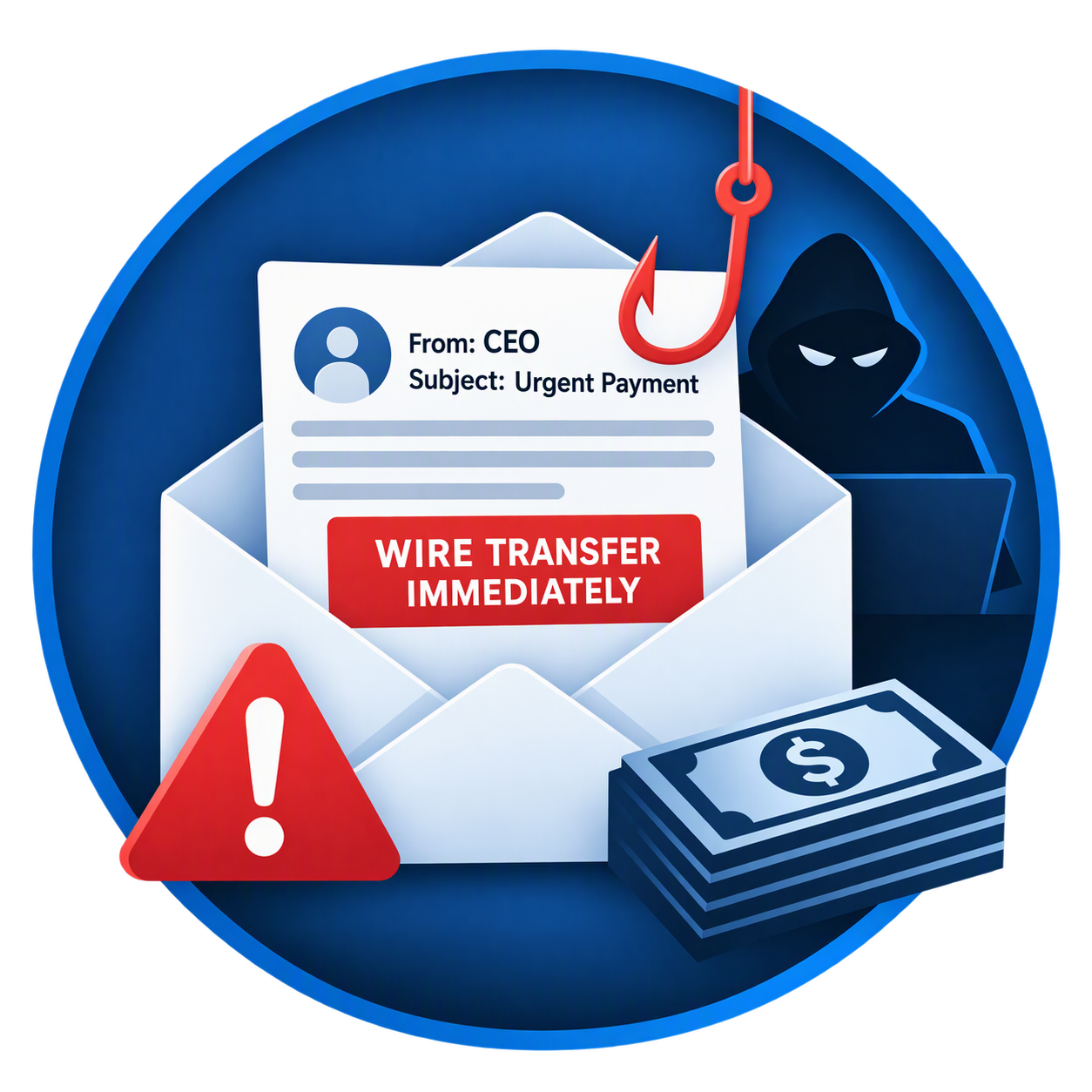
Business Email Compromise: The $50,000 Mistake Many Small Businesses Make
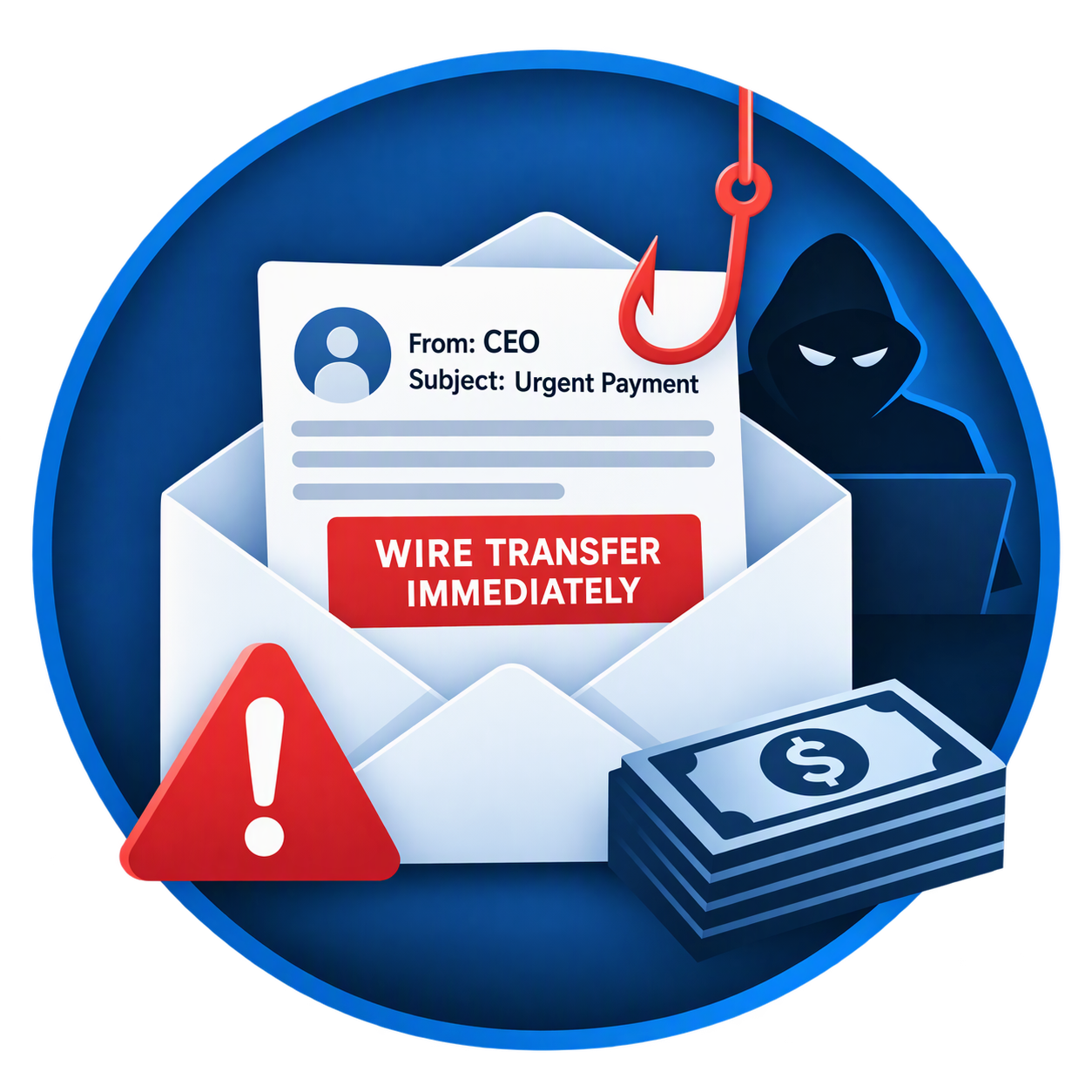
One Email. One Mistake. Thousands of Dollars Gone.
Most business owners worry about ransomware, hackers, and viruses. However, one of the fastest-growing cyber threats doesn't involve sophisticated malware or complicated hacking techniques.
It's called Business Email Compromise (BEC), and it has become one of the most costly forms of cybercrime affecting businesses of all sizes.
Unlike traditional cyberattacks, Business Email Compromise relies on something much simpler: trust.
A single fraudulent email can convince an employee to send money to a criminal's bank account, often resulting in losses ranging from a few thousand dollars to more than $50,000 before anyone realizes what happened.
What Is Business Email Compromise?
Business Email Compromise occurs when cybercriminals impersonate a trusted person or organization through email.
Their goal is typically to:
Steal money
Redirect vendor payments
Obtain sensitive information
Gain access to business accounts
Manipulate employees into taking unauthorized actions
These emails often look completely legitimate, making them difficult to identify without proper security controls and employee training.
A Common $50,000 Scenario
Imagine your office receives an email from a vendor you've worked with for years.
The message states:
"We've recently changed banks. Please update our payment records before issuing your next payment."
The email includes:
The correct vendor name
An accurate invoice amount
Professional formatting
Familiar language
A realistic email signature
Everything looks normal.
A member of your accounting team updates the payment information and sends a $50,000 payment.
Weeks later, the real vendor calls asking why they haven't been paid.
Unfortunately, the money was sent directly to a criminal's account and may be impossible to recover.
Why These Attacks Work
Business Email Compromise attacks are effective because they target people rather than technology.
Cybercriminals routinely gather information from:
Company websites
Social media profiles
LinkedIn
Public records
Vendor listings
Attackers use this information to craft highly convincing emails that appear authentic.
Unlike traditional phishing attacks, many BEC emails contain:
No suspicious links
No malware
No attachments
No obvious warning signs
This allows them to bypass many traditional security controls.
Warning Signs Every Employee Should Know
Unexpected Banking Changes
Treat any request to modify payment instructions as suspicious.
Always verify:
New bank account numbers
Updated routing information
Requests for wire transfers
through a known phone number or secondary communication method.
Urgent Requests
Criminals frequently create artificial urgency.
Examples include:
"Please process immediately."
"This needs to be paid today."
"I need this handled before noon."
Urgency is designed to prevent verification.
Slightly Altered Email Addresses
Look carefully at the sender's address.
For example:
Legitimate
accounting@vendorcompany.com
Fraudulent
accounting@vendorcornpany.com
The difference may be only a single character.
Requests Outside Normal Procedures
Be cautious when:
An executive requests secrecy
A vendor changes payment instructions unexpectedly
A wire transfer request seems unusual
A financial request bypasses established procedures
Businesses Most Frequently Targeted
Although any organization can become a victim, attackers frequently target:
Real estate firms
Construction companies
Insurance agencies
Law firms
Manufacturing companies
Medical offices
Property management companies
Small businesses
Any organization that regularly sends invoices or processes electronic payments is a potential target.
The Hidden Costs of Business Email Compromise
The financial loss often extends beyond the initial theft.
Businesses may also face:
Lost productivity
Investigation costs
Legal expenses
Insurance claims
Reputation damage
Compliance issues
Customer trust concerns
In many cases, the total impact far exceeds the original fraudulent payment.
How Microsoft 365 Can Help Protect Your Business
Many small businesses already use Microsoft 365 but fail to take advantage of the security tools included with their subscription.
When properly configured, Microsoft 365 Business Premium provides protection against:
Phishing attacks
Account compromise
Email spoofing
Malicious links
Suspicious login activity
Multi-Factor Authentication (MFA)
MFA requires users to verify their identity through a second factor in addition to a password.
Even if a password is stolen, unauthorized access becomes significantly more difficult.
Microsoft Defender for Business
Microsoft Defender helps identify and respond to suspicious activity before it becomes a major security incident.
Advanced Email Protection
Modern email security tools analyze:
Sender authenticity
Suspicious links
Dangerous attachments
Impersonation attempts
before they reach employee inboxes.
Five Steps to Reduce Your Risk Today
1. Enable Multi-Factor Authentication
Every employee should use MFA, especially anyone with access to financial systems.
2. Verify Payment Changes by Phone
Never rely solely on email to approve:
Wire transfers
Account changes
New payment instructions
Always verify using a trusted phone number.
3. Implement Employee Security Training
Employees should understand:
Phishing tactics
Social engineering
Vendor fraud
Business Email Compromise schemes
4. Secure Microsoft 365 Properly
Many businesses have security features available but never enable them.
A professional security review can identify dangerous gaps before criminals do.
5. Require Dual Approval for Large Payments
Simple approval policies can stop fraudulent transactions before funds leave your account.
Local Businesses Are Not Immune
Businesses throughout Conroe, Montgomery, Willis, The Woodlands, and the Lake Conroe area experience the same cybersecurity threats as large corporations.
Cybercriminals increasingly target small businesses because they often have:
Limited IT resources
Fewer security controls
Smaller cybersecurity budgets
Informal financial procedures
Unfortunately, attackers know this.
The Bottom Line
Business Email Compromise is one of the most expensive cyber threats facing small businesses today.
A single email can lead to a costly financial loss, but the right combination of employee training, email security, Microsoft 365 protection, and financial controls can dramatically reduce your risk.
The best defense is being proactive before an attack occurs.
Is Your Email Security Strong Enough?
Lake Conroe Managed Services helps businesses throughout Montgomery County secure Microsoft 365, deploy Multi-Factor Authentication, strengthen email security, and reduce the risk of Business Email Compromise.
Schedule a Free Microsoft 365 Security Assessment
We'll help you:
✅ Review email security settings
✅ Verify MFA deployment
✅ Assess phishing protection
✅ Identify cybersecurity gaps
✅ Improve business security posture
Contact Lake Conroe Managed Services today to schedule your complimentary assessment.
Microsoft 365 Business Premium: The Best Security Investment for Small Businesses
More Than Email: Why Smart Businesses Are Choosing Microsoft 365 Business Premium
When small business owners hear "Microsoft 365," they often think of Outlook, Word, and Excel. While these tools are essential, many business owners don't realize that Microsoft 365 Business Premium also includes enterprise-grade cybersecurity protections that would otherwise cost thousands of dollars annually from separate vendors.
For businesses around Lake Conroe, Montgomery County, Conroe, Willis, and The Woodlands, Microsoft 365 Business Premium has become one of the most cost-effective ways to improve cybersecurity while increasing employee productivity.
Why Cybersecurity Is No Longer Optional
Cybercriminals are increasingly targeting small and medium-sized businesses because they often lack dedicated IT staff and security resources.
A successful attack can result in:
Financial losses
Business interruption
Data theft
Reputation damage
Compliance violations
Increased cyber insurance costs
Unfortunately, many businesses still rely on basic antivirus software and simple passwords, leaving significant gaps in their defenses.
What Is Microsoft 365 Business Premium?
Microsoft 365 Business Premium combines productivity tools with advanced security features into a single subscription.
It includes:
Microsoft Outlook
Word
Excel
PowerPoint
Teams
OneDrive
SharePoint
Exchange Online
Microsoft Defender for Business
Microsoft Intune
Azure Active Directory (Microsoft Entra ID)
For many small businesses, this replaces several separate software subscriptions while providing stronger security.
Key Security Features That Protect Your Business
Multi-Factor Authentication (MFA)
Passwords alone are no longer enough.
Even if a password is stolen, MFA requires an additional verification method before access is granted.
This simple feature can prevent most account compromise attempts and is often required by cyber insurance providers.
Microsoft Defender for Business
Defender for Business provides enterprise-grade endpoint protection for:
Desktops
Laptops
Mobile devices
Features include:
Ransomware protection
Threat detection
Malware prevention
Device monitoring
Automated response actions
Device Management with Intune
Businesses today need to protect devices wherever employees work.
Microsoft Intune allows organizations to:
Enforce security policies
Manage company laptops
Secure mobile phones
Remotely wipe lost devices
Ensure compliance standards are met
This is especially valuable for real estate agents, insurance professionals, and remote employees who work from multiple locations.
Email Protection
Email remains the number one attack vector for cybercrime.
Business Premium helps defend against:
Phishing attacks
Malicious links
Malware attachments
Business email compromise scams
For many organizations, these protections significantly reduce the risk of an employee clicking a dangerous email.
What Businesses Benefit Most?
Property Owners Associations (POAs)
POAs manage financial records, resident information, vendor payments, and board communications. Business Premium helps protect sensitive data while improving collaboration among board members.
Real Estate Firms
Real estate transactions often involve wire transfers and confidential client information. Strong email security and device management help protect both agents and clients.
Insurance Agencies
Insurance firms handle large amounts of personal information, making them attractive targets for cybercriminals. Microsoft 365 Business Premium provides important safeguards that many cyber insurance providers expect to see.
Daycare Centers
Daycares store employee records, payment information, and student data. Modern security controls help protect families and reduce organizational risk.
Dental and Medical Practices
Strong access controls, device management, and secure communications support compliance efforts while protecting patient information.
How Much Can Business Premium Save?
Many companies purchase separate products for:
Email hosting
Office applications
Antivirus software
Mobile device management
File sharing
Collaboration tools
Microsoft 365 Business Premium combines these capabilities into one platform, often reducing costs while improving security.
Instead of managing multiple vendors, businesses can simplify operations and gain a more integrated security environment.
Common Warning Signs Your Business Needs Better Security
Consider an upgrade if:
Employees share passwords
Multi-factor authentication is not enabled
Devices are unmanaged
Remote employees use personal computers
Antivirus software is outdated
Email security is limited
There is no documented cybersecurity plan
Any one of these issues could create an unnecessary business risk.
The Bottom Line
Microsoft 365 Business Premium is one of the smartest technology investments a small business can make today. It combines the productivity tools employees use every day with advanced cybersecurity protections that help defend against modern threats.
For businesses around Lake Conroe and Montgomery County, the combination of security, compliance features, collaboration tools, and centralized management makes Microsoft 365 Business Premium an excellent value.
Need Help Evaluating Your Microsoft 365 Security?
Lake Conroe Managed Services helps businesses assess their current environment, secure Microsoft 365, implement multi-factor authentication, manage devices, and protect against modern cyber threats.
Contact us today for a complimentary Microsoft 365 Security Assessment and discover whether your business is fully utilizing the protection you already have.
Learn why Microsoft 365 Business Premium is one of the best cybersecurity investments for small businesses. Discover how it protects email, devices, data, and employees while reducing IT costs.
Schedule your free Microsoft 365 Security Review with Lake Conroe Managed Services.